An illustrative dispatch story. People, events, and workload examples are fictional; screenshots show the Fleetune product workflow.
At 3:15 p.m., Chris walks back into the warehouse with an empty van.
Across town, Jordan still has eight deliveries to finish.
They both left at 8 a.m. They both had 30 stops. On the dispatch spreadsheet, the day looked evenly divided.
Jordan calls the office.
“How did I end up with the long route again?”
The dispatcher, Maya, pulls up the plan. She remembers counting the stops carefully. What she did not compare was everything happening between arrival and departure at each address.
If you are trying to balance delivery routes, this is the detail that can change the conversation: a stop is a destination, not a standard unit of work.
The work hiding inside a stop
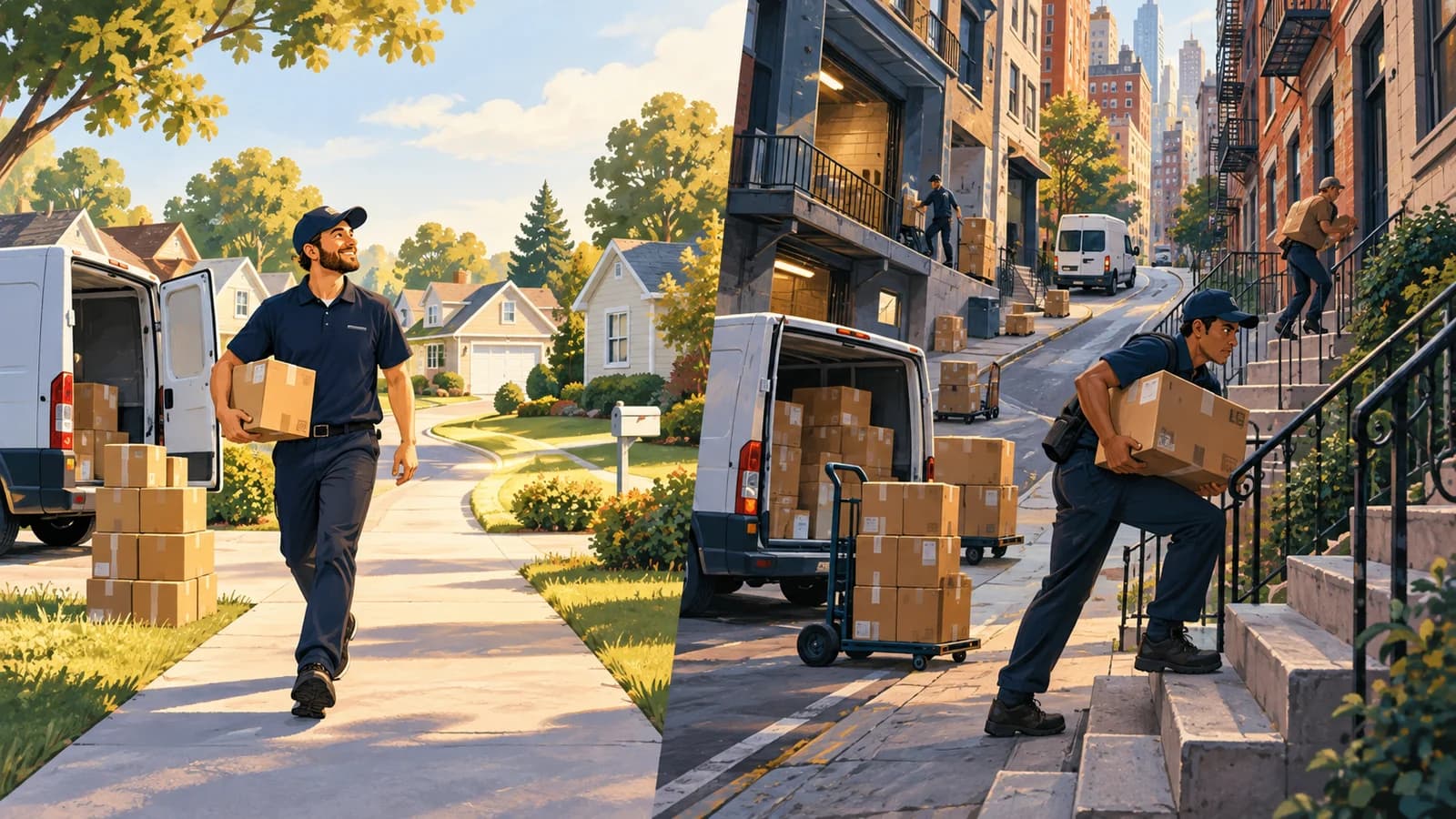
Chris spent much of the day delivering small packages to houses close together. Jordan had apartment buildings, business deliveries, and a customer with several cartons to unload.
One stop meant walking to a porch. Another meant finding parking, checking in at a receiving desk, and waiting for someone with a key.
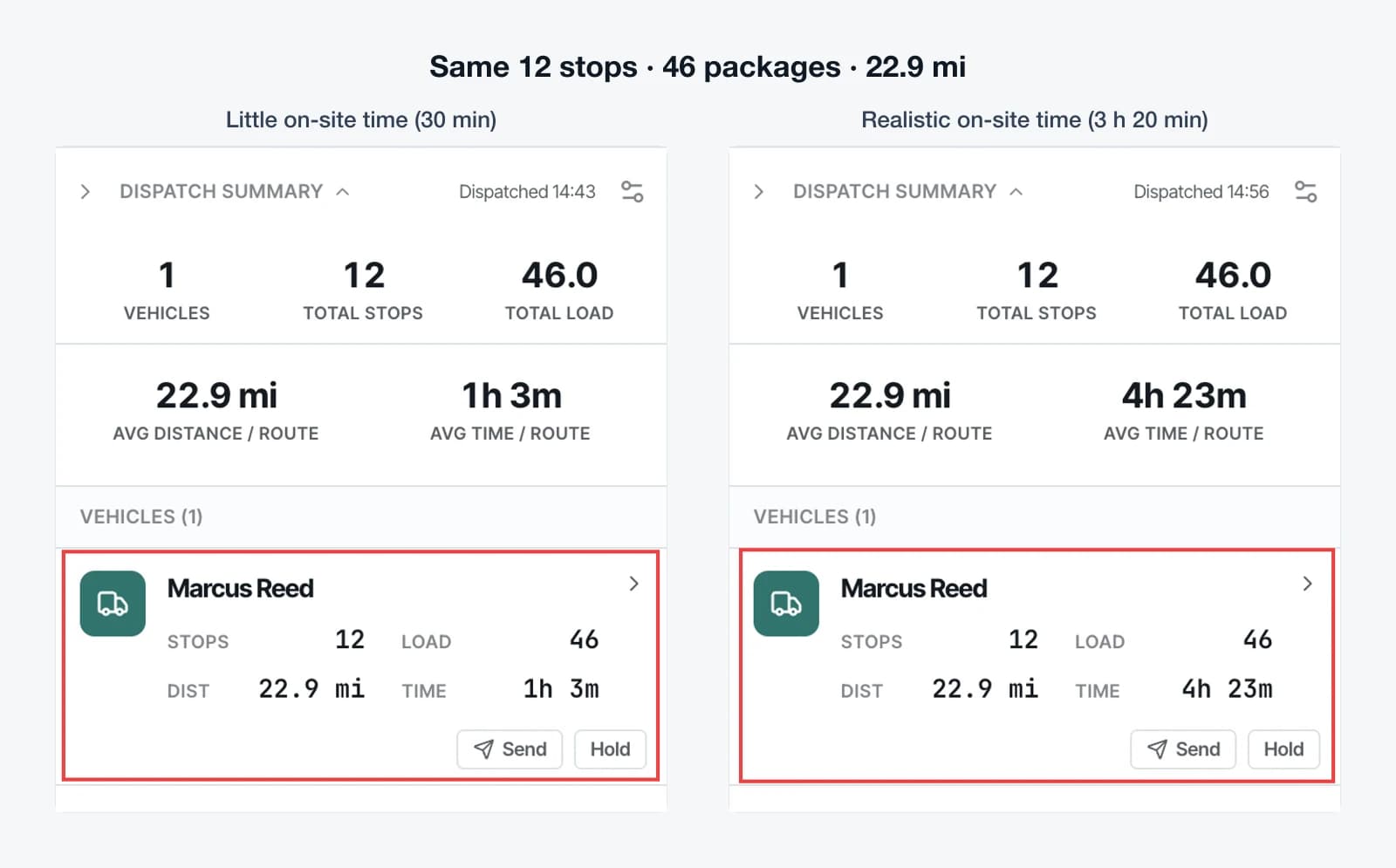
Consider a simple planning example. If ten stops each need six more minutes on site than you allowed, that adds an hour of work before you account for any extra driving.
No one needs to be driving slowly for the schedule to fall behind.
Maya realizes that equal stop counts gave her a tidy spreadsheet, but left a lot of the actual workload unexamined.
Start with drive time, service time, and load
For the next day’s delivery route planning, Maya looks at three questions.
How far apart are the stops? A compact route and a spread-out route can contain the same number of addresses. The time spent moving between them matters.
What happens at each address? The stop file should reflect a realistic allowance for service time: unloading, walking, receiving, and delivery confirmation.
How much is going into the vehicle? Thirty one-package deliveries and thirty multi-carton deliveries create different loading demands. Package counts also need to fit the way the operation represents vehicle capacity.
Fleetune TMS supports service time and package counts in imported stop data, along with package capacity and optional stop limits for drivers. Maya can use those inputs, create routes, and review the proposed assignments.
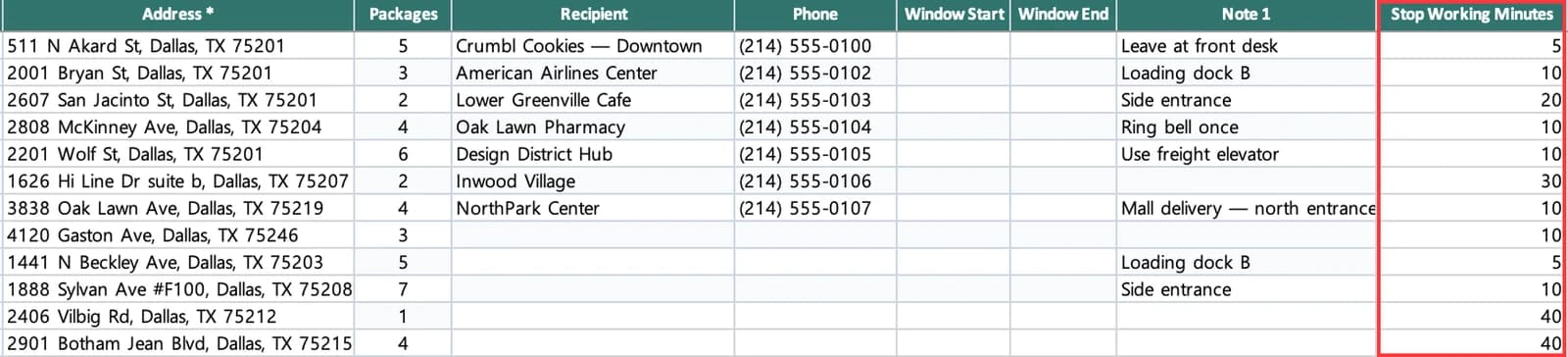
These fields do not eliminate the need to check the plan. They give that check better information.
Use route optimization software with a dispatcher’s review
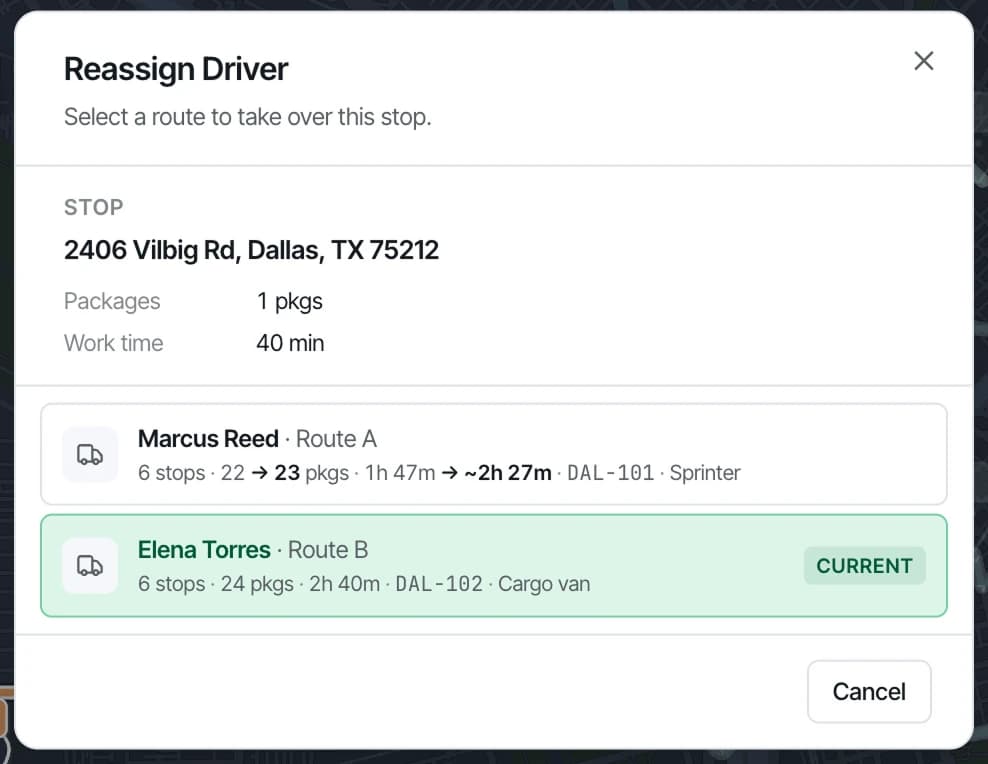
Maya opens the proposed routes and looks for the one most likely to run long. She examines the order of stops and the estimated arrivals, then considers whether moving a delivery would help.
Before she reassigns anything, she checks the receiving window and the other driver’s load. Moving work only helps if the receiving route can reasonably take it.
Maya also asks Jordan a better question: “Which stops took longer than we planned?”
That produces useful details. The apartment office opens late. One receiving entrance is hard to find. A customer regularly needs extra unloading time.
Those details can improve tomorrow’s inputs.
A more useful definition of a fair route
Your drivers may never have identical days. Customer locations, delivery requirements, and vehicle assignments make that unlikely.
But your team can agree on what gets reviewed before departure:
- Driving distance and estimated travel time.
- Expected time at the delivery location.
- Package load and vehicle capacity.
- Customer delivery windows and access instructions.
- The planned end location, including a return to the depot when needed.
The following afternoon, Maya still asks how the routes went. This time, she has more to discuss than a count of completed stops.
For a small fleet, that is a practical starting point for better workload planning: look at the work behind the number.
Explore Fleetune’s route review workflow, or start a free trial and compare a representative day’s routes.