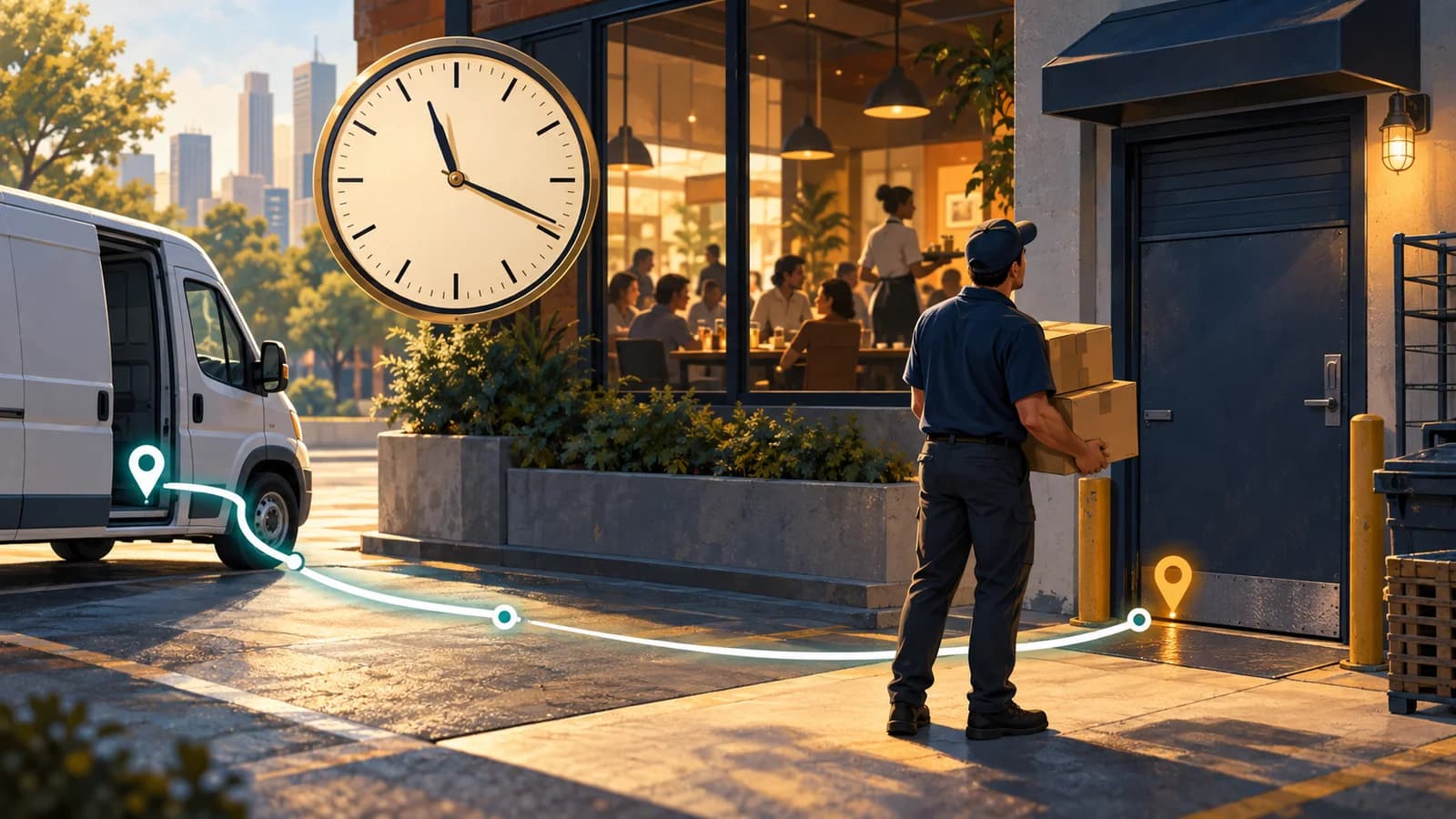
An illustrative dispatch story. People, events, and scheduling examples are fictional; screenshots show the Fleetune product workflow.
The driver arrives at 11:12 a.m.
The restaurant’s receiving door is locked. Inside, the lunch rush has already started.
“We asked for delivery before eleven,” the manager says over the phone.
Back at the dispatch desk, Nina looks at the route. The restaurant was near two other customers, so putting those stops together had seemed sensible. The van had followed a neat loop across town.
But the customer could not receive the order when it arrived.
Delivery route planning with time windows starts with that distinction. A route can look efficient on a map and still fail to match the customer’s day.
A delivery promise needs a place in the plan
Nina finds the receiving instructions in an email thread: deliveries accepted from 8 to 11 a.m., through the side entrance.
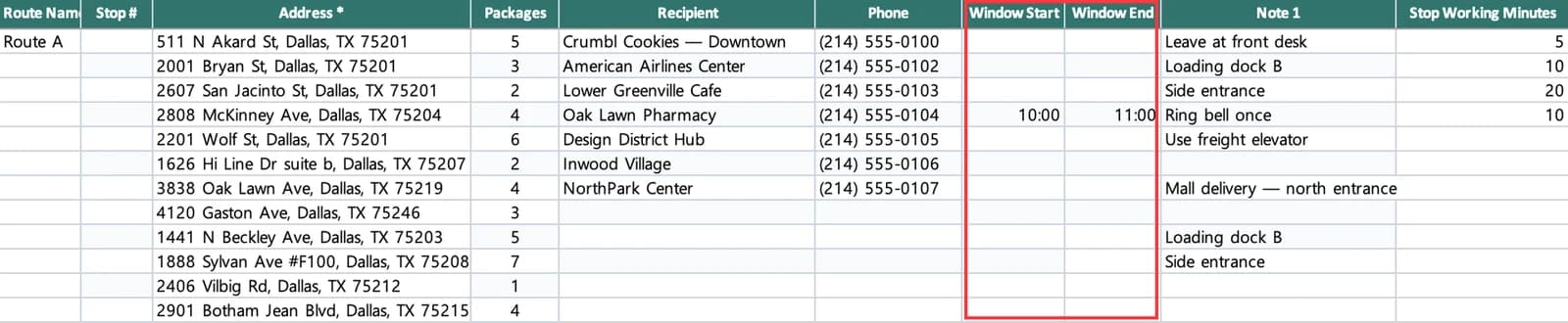
The address made it into the order file. The receiving window did not.
That left the dispatcher and driver working from an incomplete version of the order. The map showed where to go, but the plan did not clearly carry when the customer could receive it.
Nina updates the team’s order preparation process. A delivery with a receiving window needs that window recorded with the stop. Entrance details and contact instructions need to travel with it, too.
Fleetune TMS’s stop import supports Window start, Window end, Service time, and driver notes. Those are useful inputs to prepare before evaluating a proposed schedule.
The minutes at the door add up
There is another problem in Nina’s morning plan. Several business deliveries were treated as quick drop-offs, even though they involved checking in and unloading multiple cartons.
Imagine four earlier stops each taking five minutes longer than the plan allowed. That is twenty additional minutes before the driver reaches the restaurant.
This example is simple, but the planning lesson is useful: driving is only part of the delivery day.
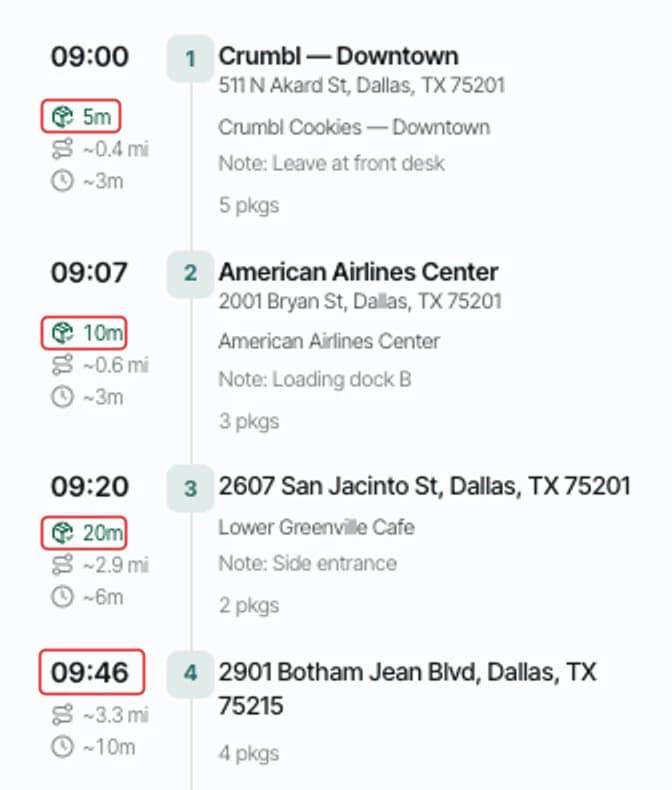
Nina starts asking drivers about repeat customers with long receiving processes. She uses those observations to improve service-time estimates instead of assuming every address needs the same allowance.
The goal is a schedule that resembles the work the driver will actually do.
Review the promise before publishing the route
The next morning, Nina creates routes and checks the time-sensitive stops first.
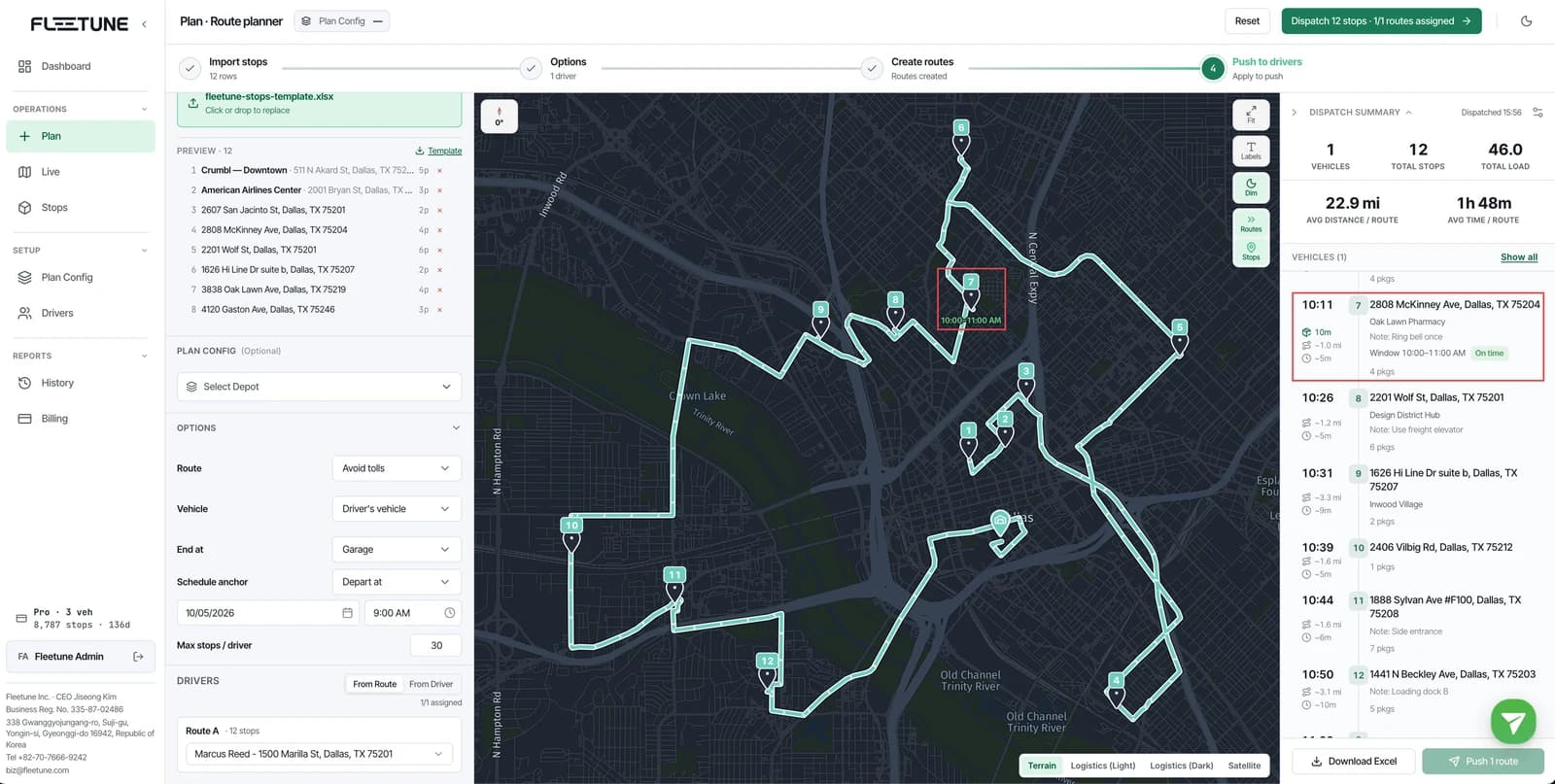
For each one, she compares the estimated arrival with the customer’s receiving window. An arrival close to closing time deserves a closer look. If the plan appears unrealistic, she considers a different stop order, another driver, or a conversation with the customer before departure.
Fleetune provides departure and arrival scheduling options, along with a route review where dispatchers can inspect estimated arrivals and adjust assignments. A route-level scheduling anchor still needs to be reviewed alongside individual customer windows.
An ETA is an estimate. Nina’s job includes deciding whether the plan leaves enough room for the day she expects.
Four questions for your next time-window delivery
Before sending a driver to a customer with restricted receiving hours, ask:
- Is the receiving window recorded with the delivery?
- Does the plan allow for unloading and check-in time?
- Is the estimated arrival comfortably inside the window?
- Who will contact the customer if the day begins to slip?
Nina cannot guarantee that every road will be clear or every loading dock will be ready. She can make sure the receiving window is part of the decision before the van leaves.
The next delivery to that restaurant starts with a better question: “When can they accept it, and what needs to happen before we get there?”
Review the supported delivery planning fields, or try Fleetune TMS with a route that includes your real receiving windows.