
An illustrative dispatch story. People and events are fictional; screenshots show the Fleetune product workflow.
The vans are loaded. The drivers have their coffee. And Alex is still moving rows around in a spreadsheet.
One customer changed a delivery address. A driver called out. The order export arrived later than expected, and now there are two files named “final.”
A driver leans into the office.
“Are we good to go?”
“Almost,” Alex says. Again.
For a small delivery fleet, this is an uncomfortable way to start the day. Everyone is ready to move, but the plan is still taking shape on one person’s screen. Delivery dispatch software becomes useful at exactly this point: when getting a workable route into each driver’s hands has become a daily bottleneck.
The morning starts with too many handoffs
Alex dispatches local deliveries for a distributor outside Newark, New Jersey. Orders arrive in a spreadsheet, customer instructions sit in email, and driver availability lives in a group text.
None of those pieces looks especially complicated by itself. Putting them together is what takes time.
Alex has to decide which addresses belong together, whether each van can carry its assigned packages, and which customer needs a morning delivery. Then someone has to send the plan to the drivers and explain the changes.
Every last-minute edit creates another chance for someone to leave with yesterday’s information.
The first improvement is simple: give today’s deliveries one working home.
Build a routine around the information you already have
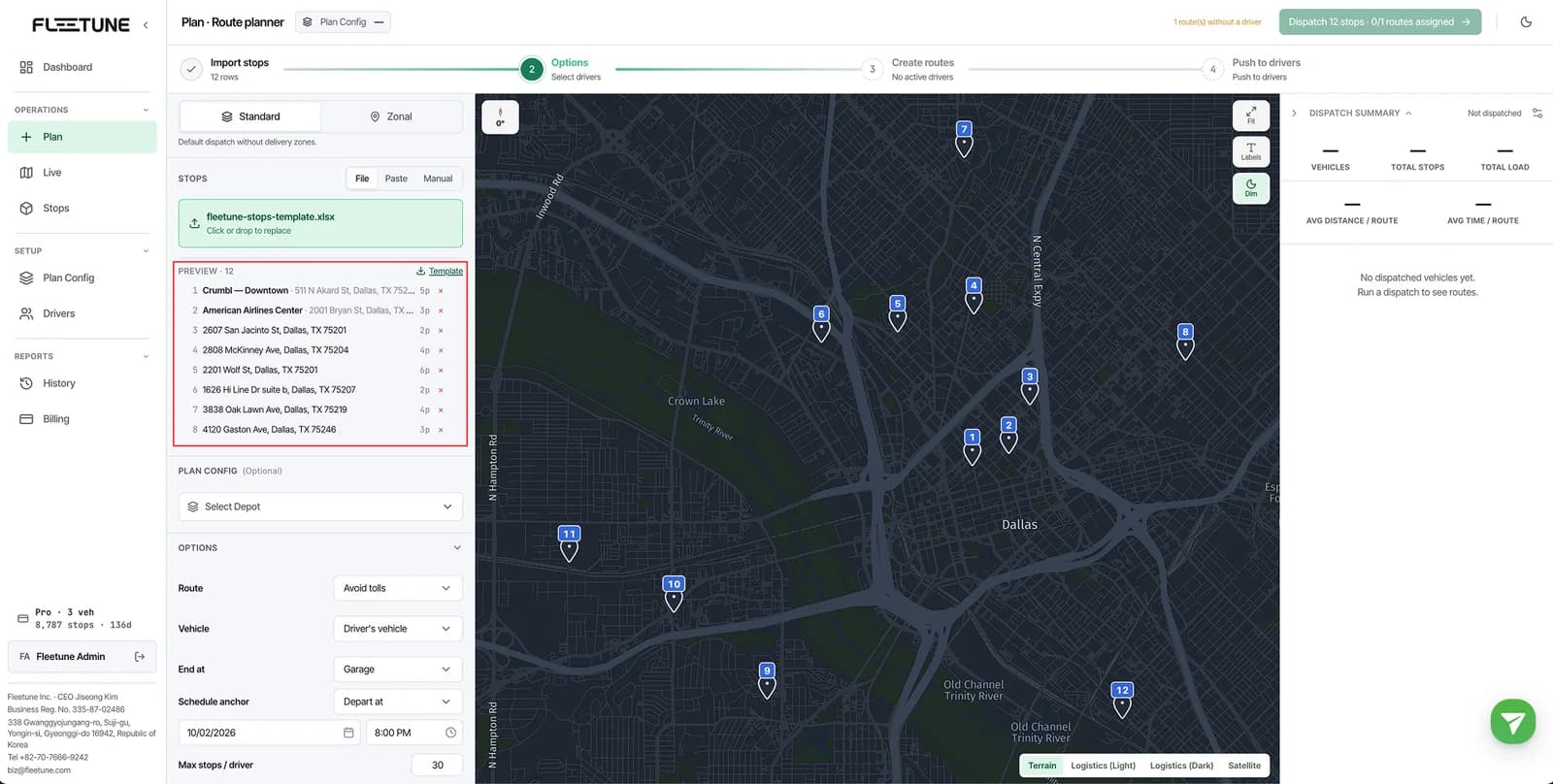
The next morning, Alex starts with the order export and imports the Excel or CSV file into Fleetune TMS.
Before creating routes, Alex checks that the addresses have been located on the map and that the imported count matches the orders intended for delivery. A row that could not be processed still needs an owner; leaving it out of the plan does not make the order disappear.
Then Alex selects the drivers working that day, checks the depot and departure settings, and creates routes.
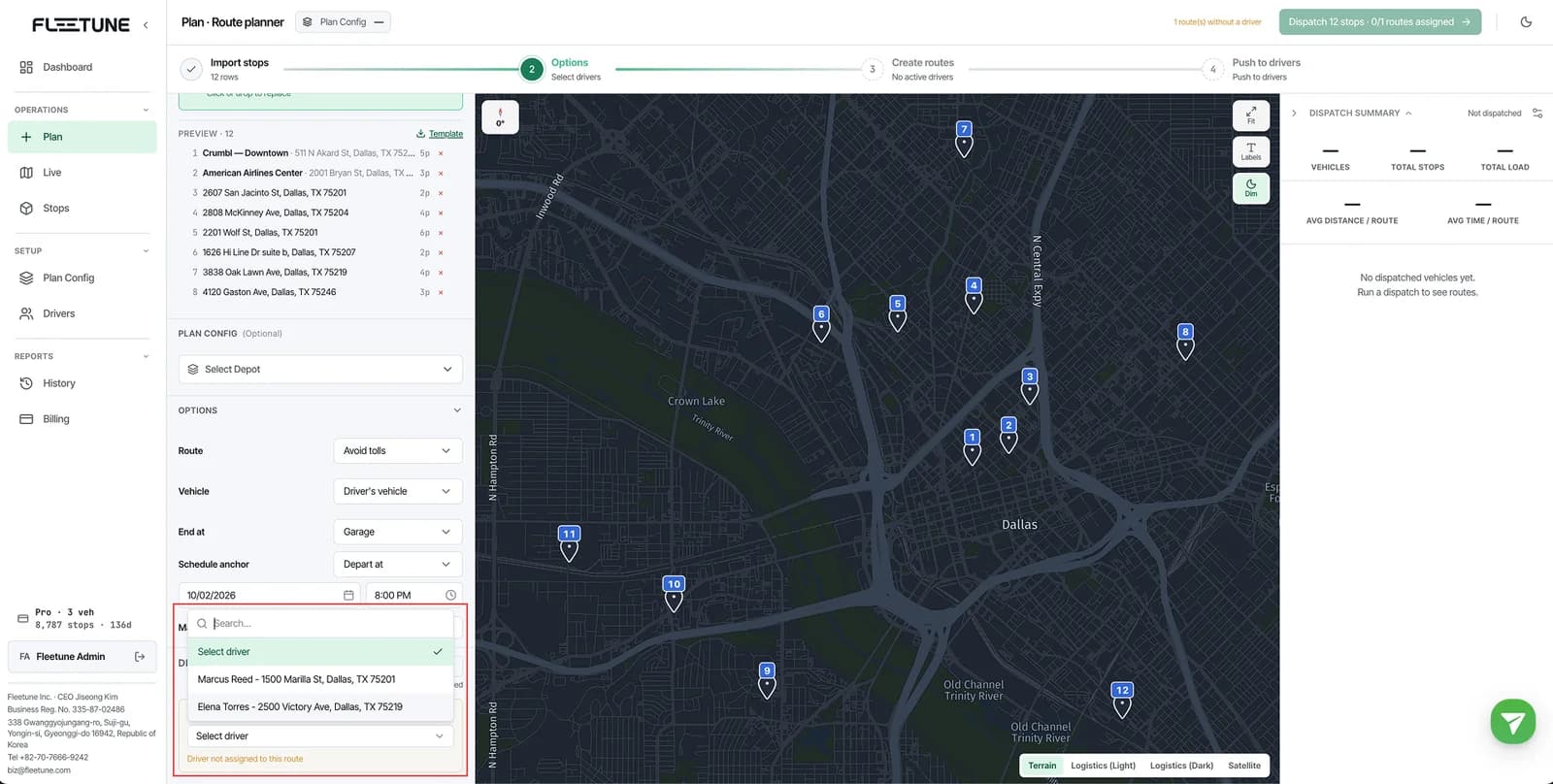
There is still judgment involved. A customer’s receiving entrance might be around the back. A new driver may need extra context. But Alex now has a proposed plan to inspect instead of a blank map to solve from scratch.
That is a useful way to evaluate last-mile delivery software: does it help your dispatcher move from assembling information to making decisions?
Give yourself a review moment before drivers leave
Alex spots a stop that belongs with a different driver and reassigns it. Then comes one final look at the route order, package load, and estimated arrival times.
Fleetune separates route creation from sending routes to drivers. The dispatcher reviews the plan first, then uses Push routes to publish it and notify the assigned drivers.
That separation gives Alex a clear answer to the question, “Is this ready?”
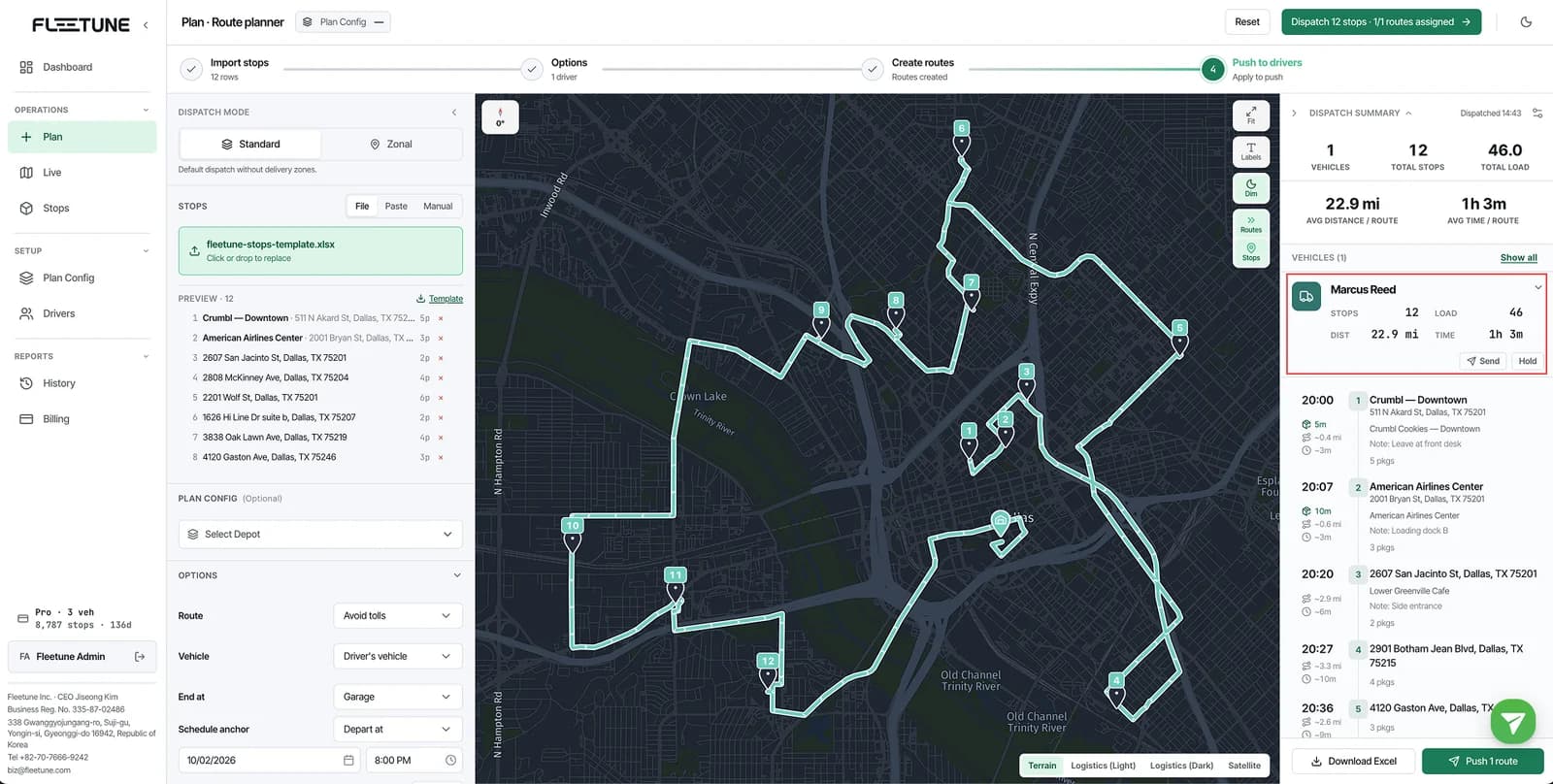
The next time a driver asks for the route, Alex can point to a specific handoff: open the assigned route in the app and review the first stop.
Try this before tomorrow’s first departure
You do not need to redesign your entire operation to improve the morning. Start with a short departure check:
- Choose one order file as today’s working list.
- Reconcile imported stops with the deliveries you expect to send.
- Confirm which drivers and vehicles are actually available.
- Review customer instructions, package counts, and delivery windows.
- Make sure each driver has received the published route before leaving.
For Alex, the real change is that “almost ready” now has a clear sequence behind it. Import, review, publish, confirm receipt.
There will still be mornings when an order changes at the last second. A repeatable delivery route planning workflow gives the team somewhere to handle that change.
Want to see how the handoff works? Walk through route planning and dispatch in the Fleetune manual, or start a free trial with a representative delivery list.